New! Download the free high-resolution, printable PDF
2020 Khaldea Annual Graphic Ephemeris
for Longitudes, Latitudes, Declinations and Daily Motions.
The 2018 Khaldea Astrological Calendar can be seen here.
The 2017 Khaldea Astrological Calendar may be found here.
The 2016 Calendar may be seen here.
About the Khaldea Astrological Calendar
1. The Calendar Grid

2. The Control Panel









TIP! The advanced features of Khaldea Astrological Calendar version 2 are implemented with css and javascript. If your browser allows cookies, when you next open the calendar, it should return to the same month as last used.
TIP! If you use a touch screen device — such as a tablet or smartphone — you can zoom into any image with the separating fingers gesture.
3. More Info & Resources
Timed data includes Daylight Saving Time adjustments for all time zone editions, with the exceptions of the Hawaii, Nepal, India, Japan and GMT editions. Time change dates and times are noted on the pertinent months of the calendar. Note: Time changes for the WET, CET and EET editions occur simultaneously at 1:00 UTC (GMT).
For Time Zone and Time Change information, visit TimeandDate.com.
Discover the Cycle of Mercury and the Cycle of Venus. Learn about the Planets and the Aspects at khaldea.com
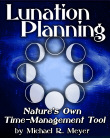
The Khaldea Astrological Calendar makes it easy to benefit from Lunation Planning — a natural, organic time-management system based on the 29.5-day Lunation Cycle, the ever-changing cyclic relationship between the Sun and the Moon. Everyone, in their own way, naturally feels and performs better when they are attuned with its rhythm. When guided by this natural cycle, our projects and endeavors — be they long-term or short-term, acted out by an individual or by a group — are more successful and rewarding. Lunation Planning is the world's oldest time-management tool. Lunation Planning is universal, it is deeply rooted in all cultures and religions. It is the foundation of virtually all ancient calendars, including the Hebrew, Islamic and the Chinese calendars.
Lunation Planning isn't going to save the world. We have to change our attitudes ourselves, but Lunation Planning can help us attune ourselves to a more relaxed, natural and harmonious pulse of living, which in turn may lead to a gradual change of attitude toward ourselves and toward the world.
Lunation Planning is available a Amazon Worldwide. US readers, find Lunation Planning and other Khaldea Publications at Amazon.com
4. What's New
Year 2016 brought version 2 of the KhaldeaCalendar. Some of the new features and enhancements found in version 2 are outlined above, and they are summarized below.
User Enhancements
The calendar grid features improved graphics and an extended astrological data section. See the "Symbols" section for a key to the astrological symbols and colors used. Previous users will notice some important changes to the colors used on the calendar grid. Waning aspects are now indicated by blue glyphs, replacing dark red. Retrograde planets in aspect are now shown in red. Solar ingress are no longer highlighted.
Version 2 is faster and easier to use. Months of the year are now navigated via interactive tabs, and the entire year is wrapped in a single web page. It's also easier for online users to change time zone — just use the dropdown list beneath the calendar grid to jump to any of 14 time zones worldwide. And this year Hawaii and Nepal have been added to the list.
The digital Khaldea Astrological Calendar has been repackaged for version 2 — it now includes art, verse and an ephemeris upgrade. Use the new control panel described above to easily access it all. Just click on a icon to expand or contract an "accordion panel." It's easier to use than to read about. As a special bonus, version 2 features daily geocentric longitudes, latitudes and declinations from the KhaldeaEphemeris7z.
KhaldeaTechnology
KhaldeaCalendar version 2 is produced by KhadeaTechnology's scalable vector graphics engine that creates astrological images in several vector and raster formats, including .pdf, .svg, .wmp,. tiff, .png, .jpg, and .gif. The digital Khaldea Astrological Calendar uses .png raster images.
The KhaldeaCalendar module of KhaldeaTechnology is "theme-based" and Unicode compliant — making it's output highly customizable. It can use any aspect set (within constrains of space), or show no aspects; show phases, or no phases; any holiday or event can be displayed. Language modules and unicode enables any language, any script. For print work, press-ready pdf files for entire calendars can produced, as seen in this example.
Publishers interested in data and custom graphics created by KhaldeaTechnology, contact: rights@khaldea.com
Version 2 is developed with powerful, yet time-tested web technologies which should render and function well with contemporary devices and modern web browsers. Javascript is required. Please report issues to qc@khaldea.com
Visit this page for news, updates and tips regarding the Khaldea Astrological Calendar.
Discover more about the KhaldeaCalendar, it's history and development.

copyright © 2018 by Michael R. Meyer
All Rights Reserved